


|
|
|
|
|
This is used to change the fdt files from one connection to another connection.
1)Click on the Change Connections present in the Utility Menu as shown below.
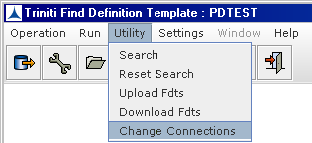
Figure 291:
2)The following screen is appeared,after clicking the Change Connections.
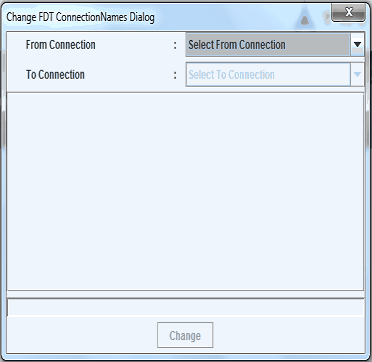
Figure 292:
3)Select the From Connection here TRINITI and the FDTS belonging to this Connection are appeared as shown in the below figure.
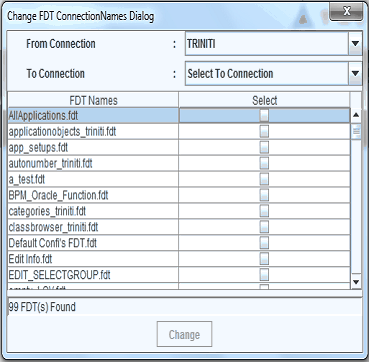
Figure 293:
4)Select the FDT(s) and the To Connection here TRI2LNX to which the Corresponding FDT(s) are to be changed and click on Change button.
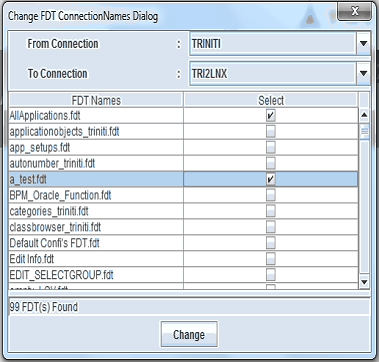
Figure 294:
5) Click on change button a confirmation dialog is appeared.
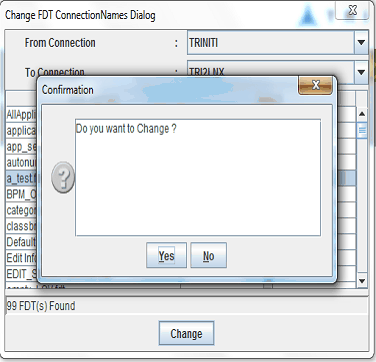
Figure 295:
6) Click on Yes button and the selected FDT(s) will be Changed to the Corresponding To Connection.
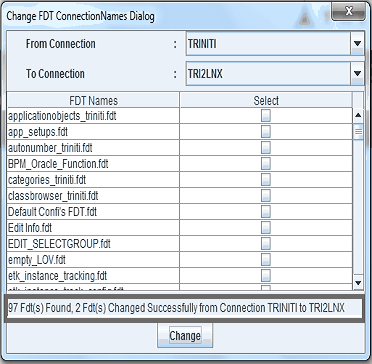
Figure 296: